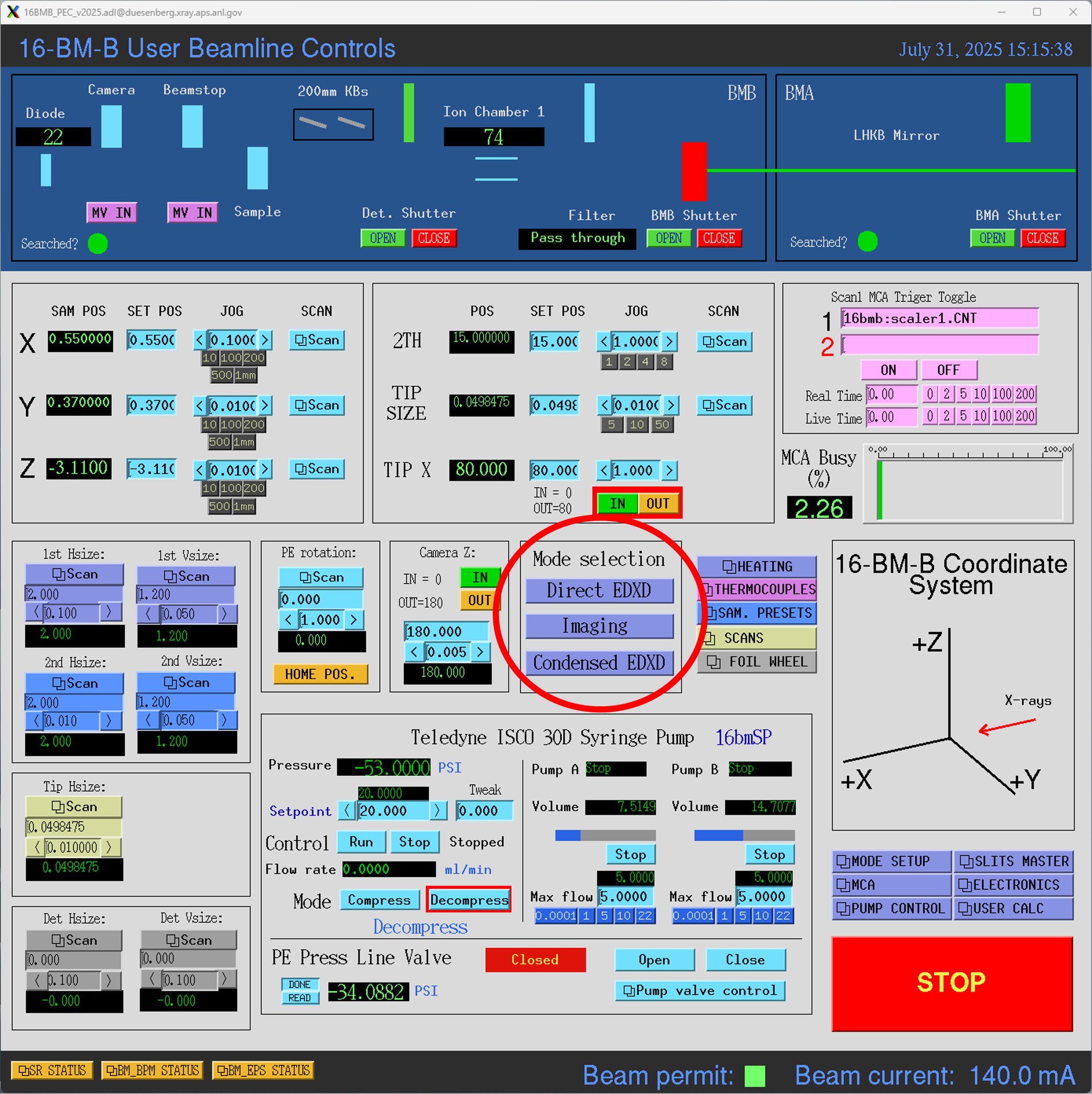
EDXD and radiography mode switching
There are currently three modes of operation:
EDXD with direct (collimated) beam
EDXD with condensed beam
Radiography imaging with direct beam
Direct beam mode delivers a collimated beam for EDXD diffraction measurements. The size of the beam can be adjusted by varying the sizes of the incident slits, with a typical size being 100 (H) x 300 (V) μm. If the user desires higher flux, the condensed beam mode can be used to focus 1 mm of beam in the horizontal direction down to 20 μm (typical vertical size remains at 300 μm). This provides roughly 7.5x the on-sample flux as compared to using the collimated beam. Finally, radiography measurements can be acheived with a large collimated beam, typically 1 x 1 mm. This page provides instructions on setting up each mode and switching between modes during the experiment.
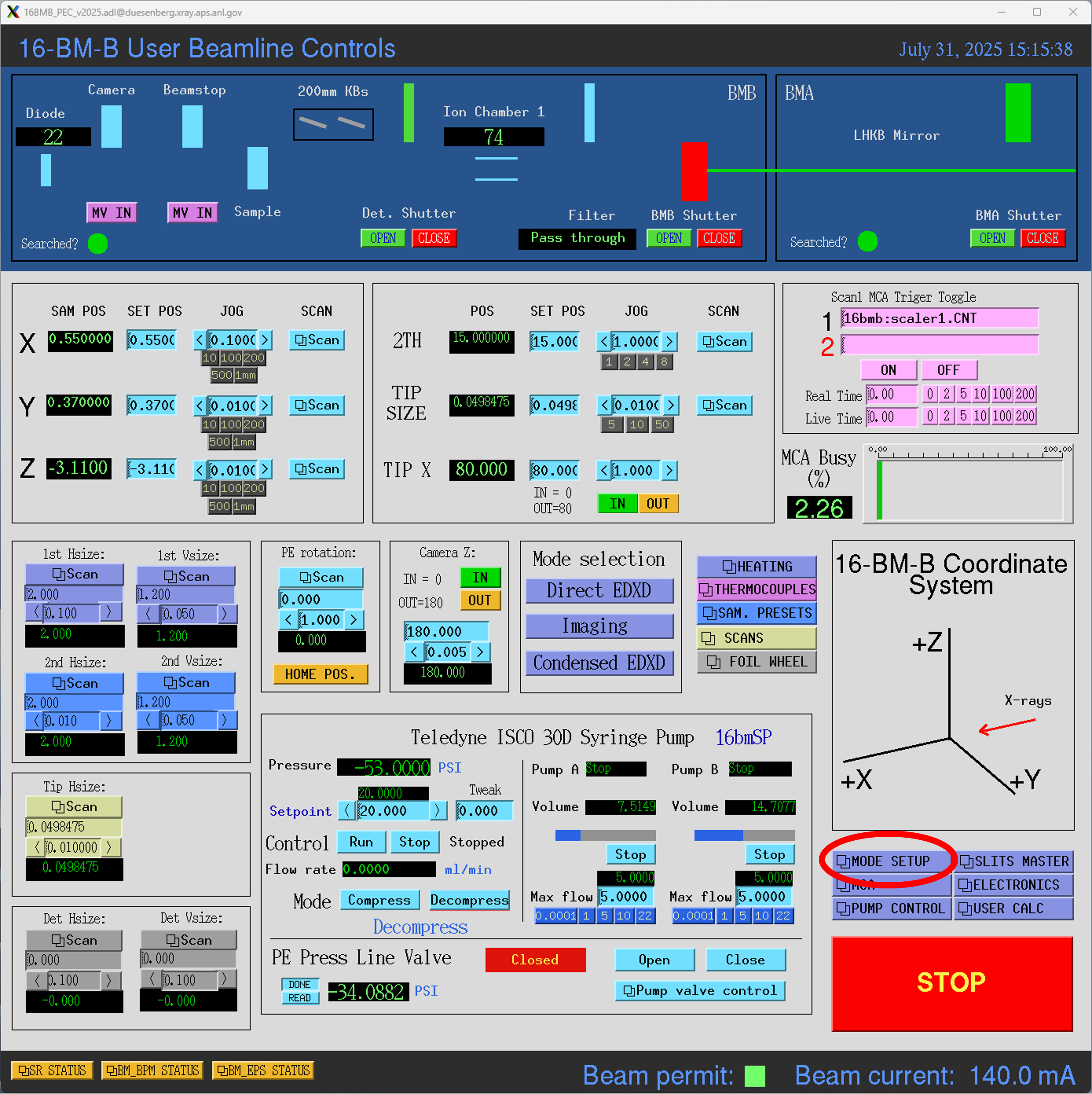
To set up direct and/or condensed beam modes for EDXD, select Direct to Condensed from the Mode Setup menu. This will bring up a menu with various parameters to customize each mode.
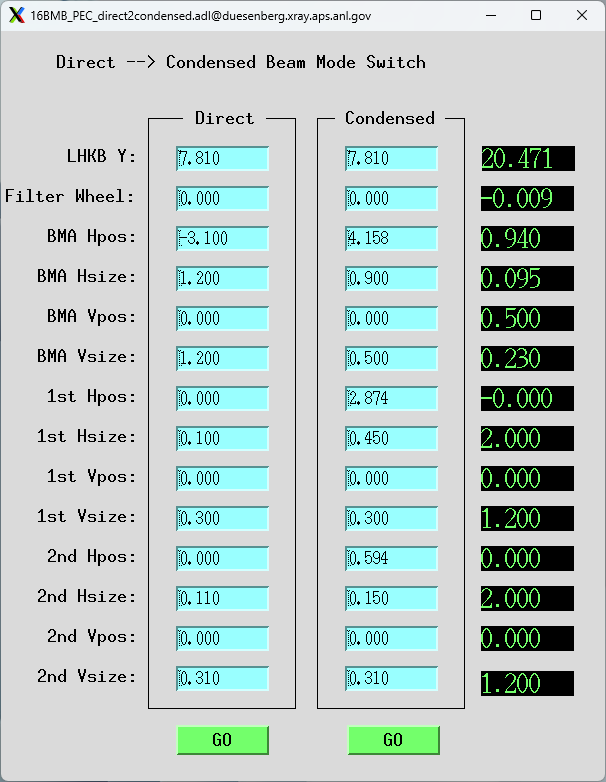
Generally, these parameters should only be set by the beamline staff, as they are based on careful alignment and calibration of the beamline. Please talk to beamline staff if you need them changed for any reason. After the parameters are set, pressing GO under either beam mode will move motors to their respective preset positions.
To set the slit and filter parameters for radiography, click on the menu button Mode Setup on the PEC user interface and open the option Radiography.
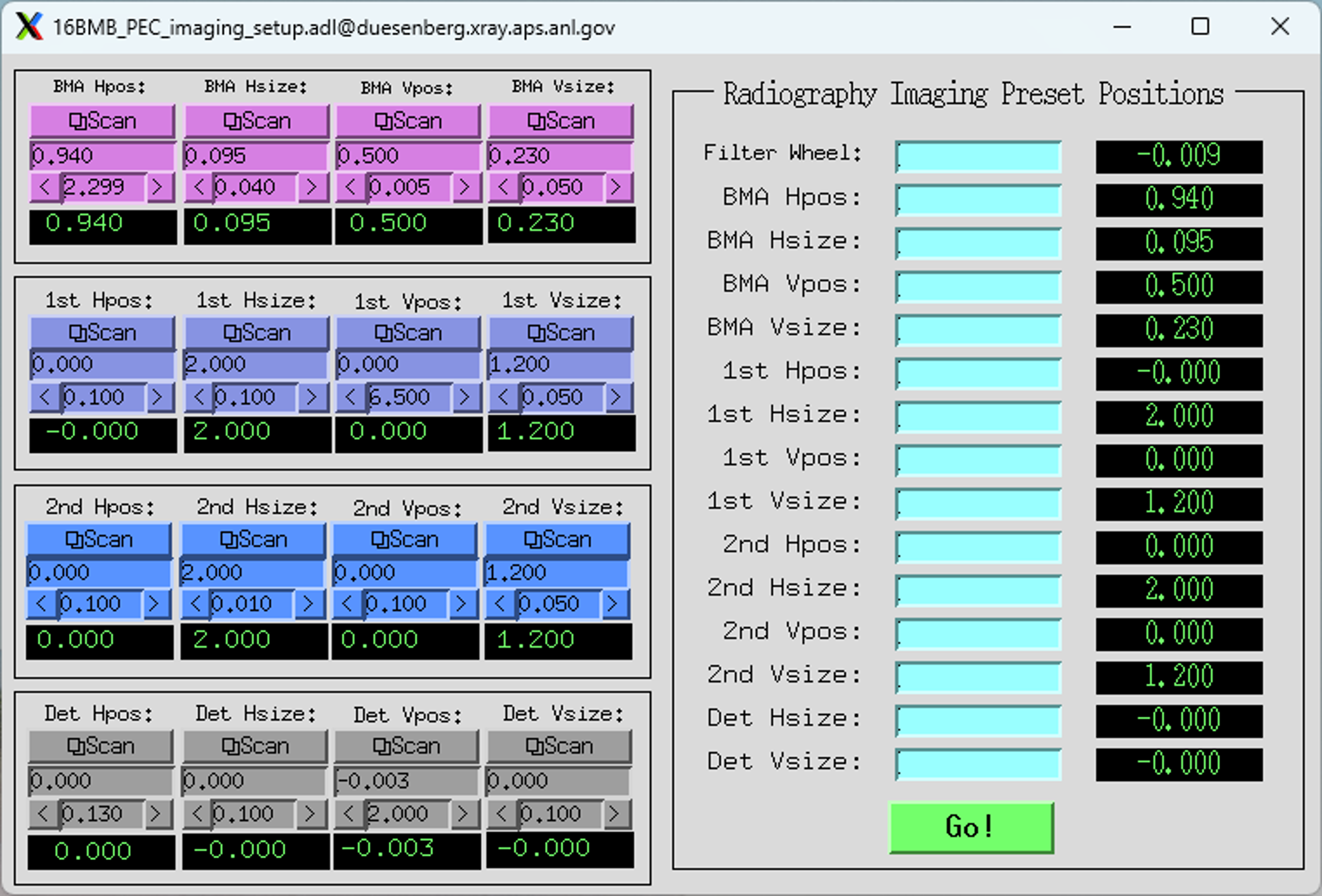
Input slit sizes and filter setup values in the ‘Radiography Imaging Preset Positions’ section.
Note
Under normal circumstances, the detector slits sizes should always be set to 0 for the imaging setup. This prevents the detector from being unecessarily flooded with photons during imaging.
After all setup is complete, select the desired mode by navigating to the Mode Selection area of the control screen and clicking either Direct EDXD, Imaging, or Condensed EDXD.