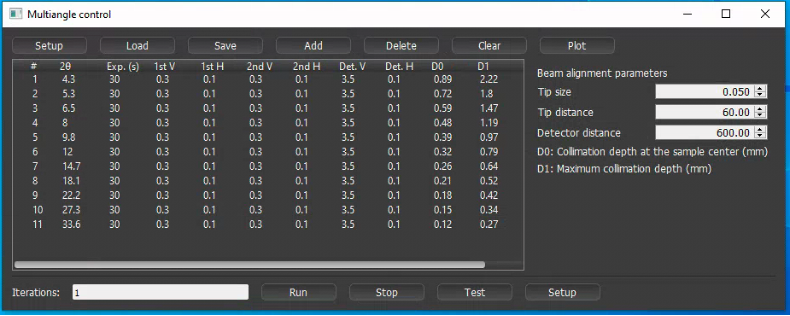
A python program ‘multiangle.py’ is available for automatic data acquisition of EDXD pattern with varying 2θ angle.
Open the python program by running ‘multiangle.bat’ from the desktop shortcut.
You have the following 3 options:
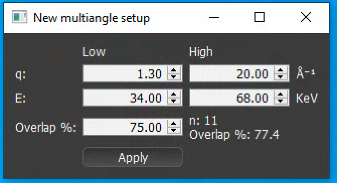
Create a new setup automatically by clicking Setup in main window. In the pop-up window enter desired q-range and usable E range, and % overlap for the measurements. The built in algorithm will calculate optimal 2theta angles and populate the main window.
Load previously saved setup, click Load in main window
Add 2-theta angles manually by clicking Add in the main window for each angle.
Adjust the slit sizes and exposure times for each 2-theta
If you want to repeat measurement, you can set ‘Iterations’ = 2 or higher.
In preferences, please check ‘yes’ for ‘autosave when acquisition stopped’.
(hpMCA will save file for each angle data with the name suffix of ‘_001’, ‘_002’…).
Then, to start multiangle measurement,
On Multiangle control window, click Run
Important
After finishing the Multiangle collection, please do not forget to check ‘no’ for ‘autosave when acquisition stopped’.
If you want to stop the Multiangle measurement, click Stop.