16-BM-B Docs

Beamline Overview:

  • Beamline description

Sammple Assemblies

  • PEC sample assembiles

Beamline Operation

  • Login
  • Start PEC EPICS/MEDM user interface
  • EDXD and radiography mode switching
  • Radiography measurement
  • EDXD measurement
  • Bluediamond
  • Sample Y and/or Z positions search
    • By radiography image
    • By absorption scan
  • Sample X position scan
  • Pressure control
  • Sample Loading Procedure
  • Sample Removal Procedure
  • Heating control
  • Liquid/amorphous structure measurement
  • Ultrasound measurement
  • General data logging
  • Logging data with Strip Chart
  • Hutch webcam
  • Data transfer

Troubleshooting

  • Troubleshoot

Beamline Support

  • Beamline support

Beamline software:

  • hpMCA
16-BM-B Docs
  • Sample Y and/or Z positions search
  • View page source

Sample Y and/or Z positions search

There are 2 ways to search sample Y and/or Z positions:

  1. Search by radiography image

  2. Scan absorption profile

  3. Scan by EDXD or flurescence profile (refer to X position search)

By radiography image

  • Switch to radiography measurement mode.

  • Narrow slit size to those of EDXD measurement.

  • Mark the narrow slit size and position by tape or something on monitor.

  • Open slit (click for Camera) for radiography measurement.

  • Move sample position to x-ray beam position shown by a mark on monitor.

By absorption scan

  • Move to EDXD measurement mode.

  • Confirm 2TH is >10°.

  • Open ‘Bluediamond’ (Bluediamond software).

  • Select ‘IC2 or Diode’ in Detector in Bluediamond, uncheck all others.

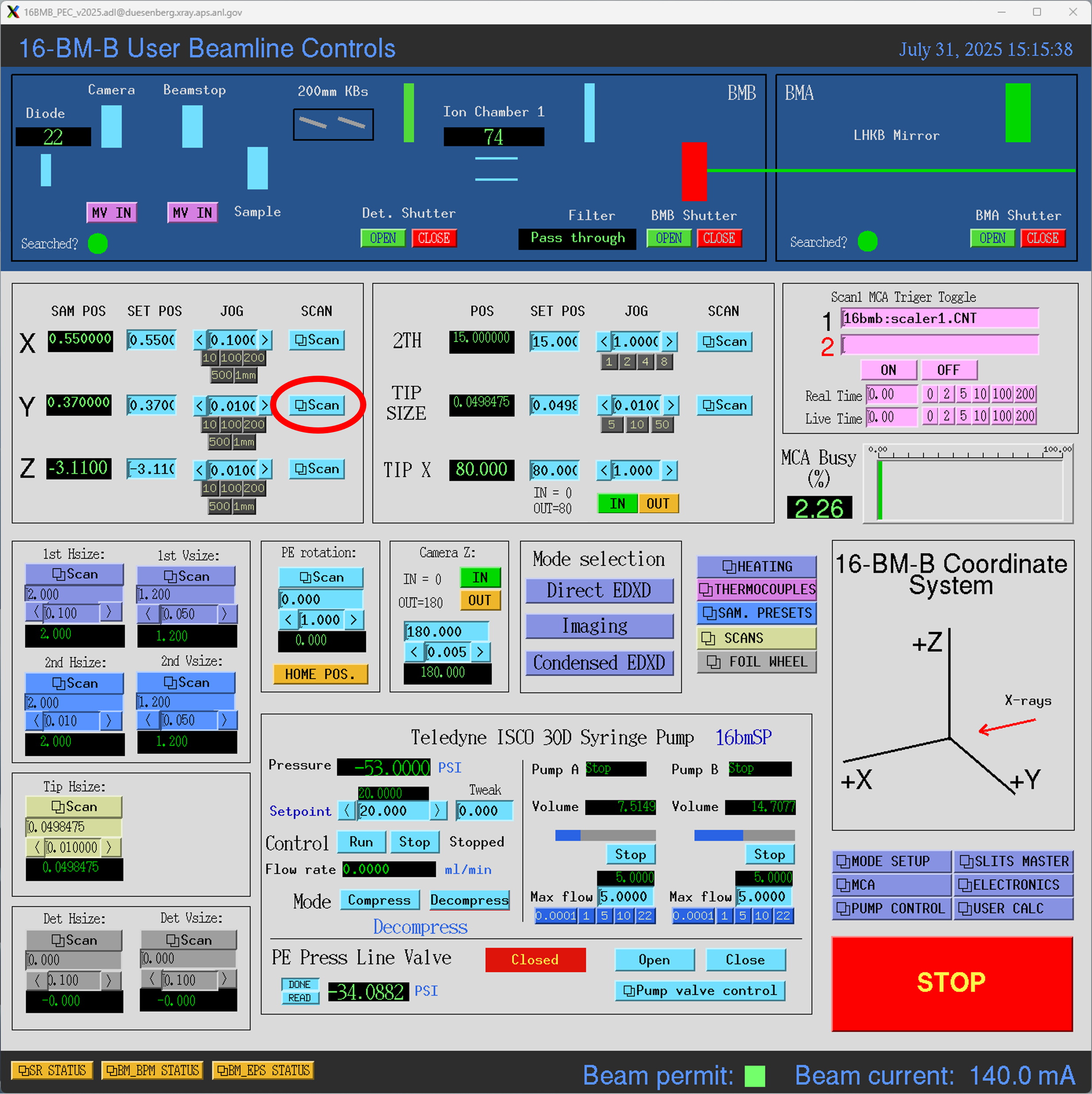
  • Open ‘scan’ on SAM Y (or Z)

scan_launch
  • Set scan parameters of ‘Start’, ‘End’ and ‘#Pts’ (#Pts has to be odd number) (confirm ‘Relative’).
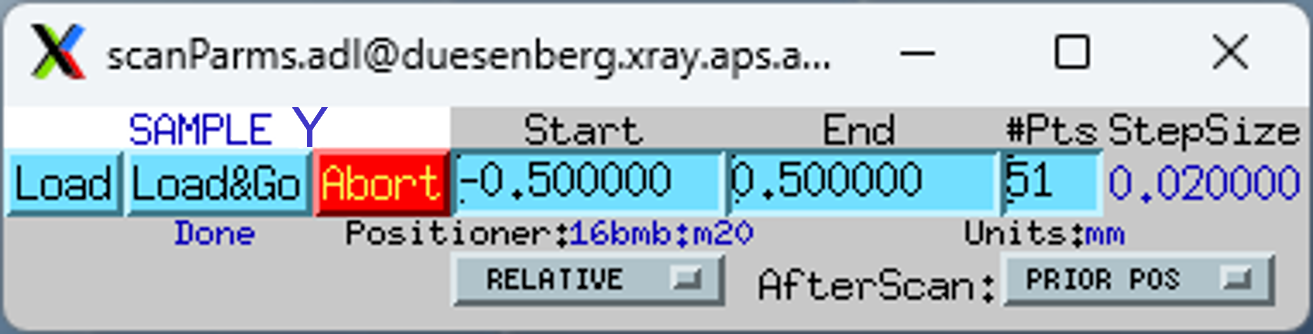
scan_go
  • Click LoadGo to start scan.

  • Scan results will appear in the ‘Bluediamond’ window.

Previous Next

© Copyright 2025, Argonne National Laboratory.

Built with Sphinx using a theme provided by Read the Docs.