General data logging
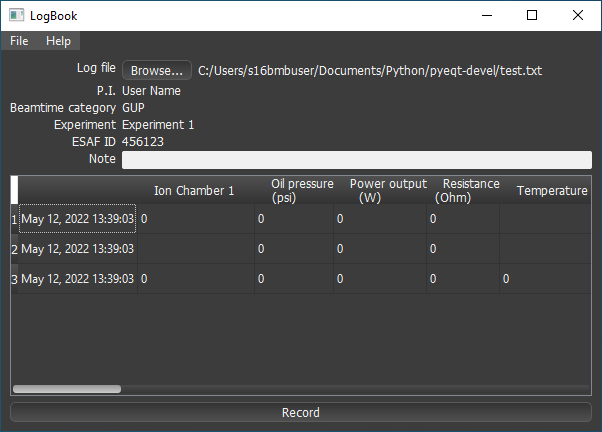
A GUI program Log book can automatically log compression, heating, and other records whenever new EDXD and/or radiography files are saved.
Open ‘Log book’ from desktop shortcut.
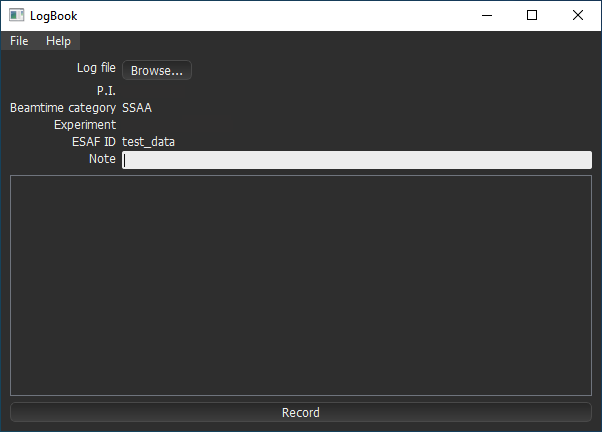
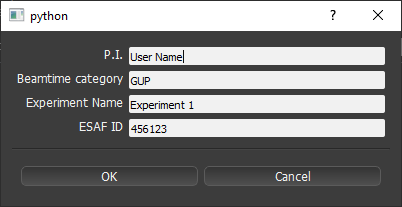
Next to ‘Log file’, click Browse… and choose the name for the log file, typically a new file in your own experiment data folder.
Logging can occur either automatically or manually. The program will automatically log a list of process variables (PV’s) and data file names each time a new data file is saved (EDXD, or radiography). Alternatively, click Record at any time to log the then-current experimental parameters. A time-stamped row of values will be appended to the log file each time.
LogBook allows recording any process variable (PV); however
a pre-defined list of PV’s is stored in setup *.env file in the program’s resources directory.
The following default PV’s will be logged:
Note
Text entered into the ‘Note’ field will also be logged each time. The Note text can be changed by the user at any time and can be up to 80 characters long.